# Member Batch Register
The Members Batch Register holds the details of the members who have been uploaded via a template. From the members batch register window, click the Authorization button to certify, authorize and approve a selected batch from the grid table. Then click the Show Details button on the upper right corner to load a new section on the lowers side of the window listing all members in the batch as shown below:

Action
Click label 1 button to delete a batch from the register and therefore not affect the member’s register.
Click label 2 button and from the drop-down menu click to certify, authorize, and approve a selected batch from the list.
Click label 3 button to load a new section showing members in the batch as shown in the screenshot above.
Click label 4 button to view all the details of a selected individual member in the batch.
Click label 5 button to revoke the membership of a selected member in the batch.
Click label 6 button and from the drop-down menu click to certify, authorize, and approve selected members from the batch.
Click label 7 to see a list of all the members whose membership has been revoked from the batch being proceeded.
# Cancel Memebrship
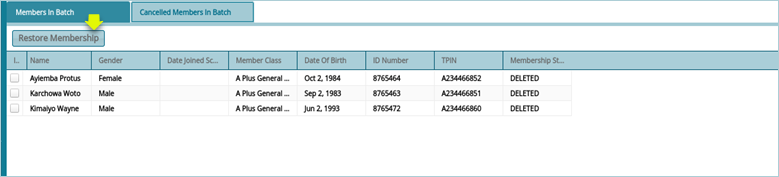
Click the Cancel Membership button to open a new section listing all members whose membership has been revoked. To retore membership, select individuals from the grid table and click the Restore Membership button as shown below: